SpectraSentry · feature guide
SLS / XLS Vision Cameras
Real camera capture with Apple Vision body-pose and stereo depth, plus ~20 selectable vision modes over the live feed.
What it does
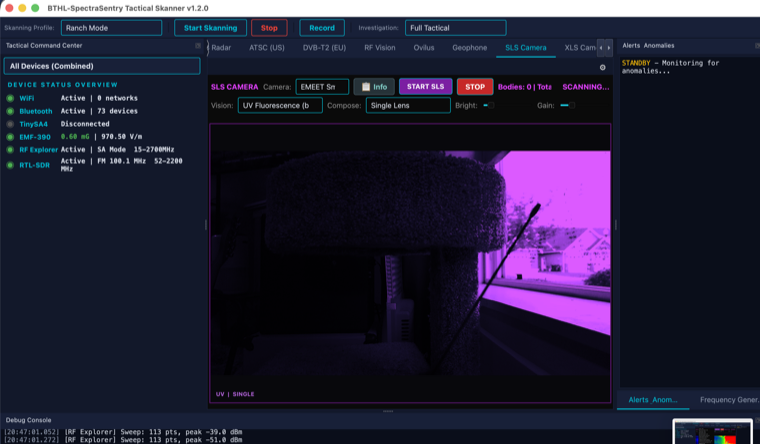
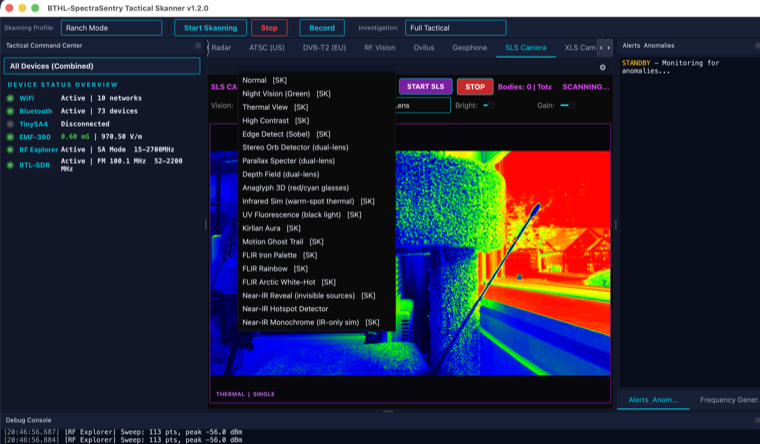
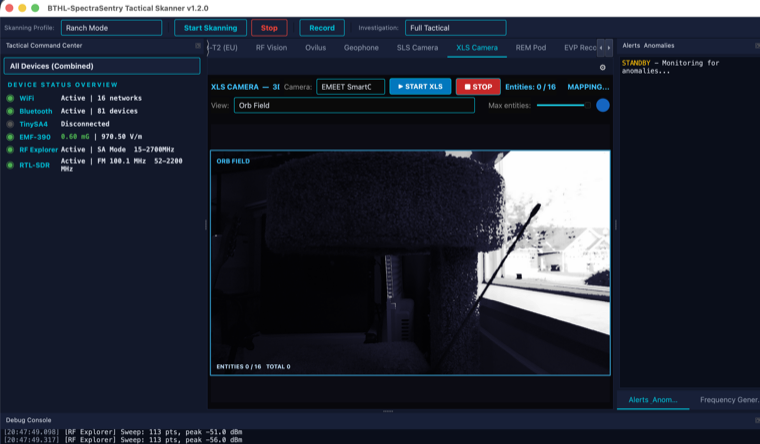
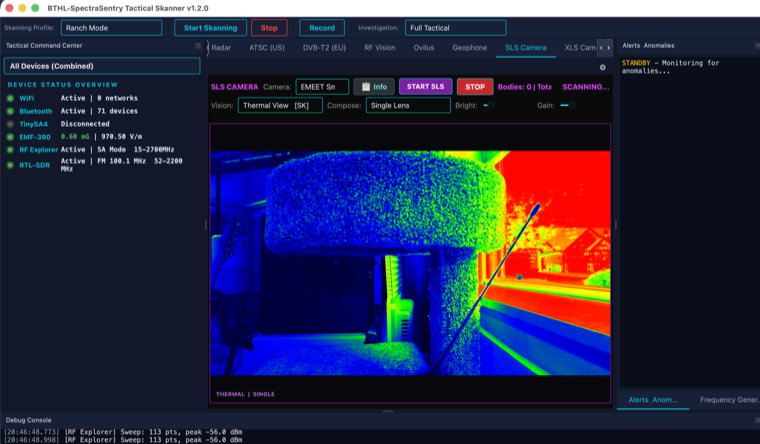
The SLS and XLS camera tools use AVFoundation to capture a real camera and run Apple Vision on the frames. SLS performs human-body-pose detection — skeletons are drawn only from actual detected joints (confidence-gated), not invented. XLS adds stereo block-matching depth and entity counting. Roughly 20 vision modes filter the live feed (thermal/false-color, UV fluorescence, night vision, orb-field and more); the thermal/IR/UV modes are honestly labeled visual filters of the real camera image. Everything operates on the real camera feed — nothing is fabricated.
What it is for
- Structured-light-style (SLS) figure detection during investigations.
- Depth/entity visualization with the XLS stereo view.
- Reviewing a scene through alternate vision filters (thermal, UV, night).
How to use it
Step by step
- Grant camera accessSystem Settings → Privacy & Security → Camera → enable the app.
- Start SLS or XLSOpen the tab and press Start; the live feed begins with body-pose / depth analysis.
- Switch vision modesPick from the vision-mode menu (thermal, UV fluorescence, night vision, orb-field, …).
- Read detectionsDetected figures / entities are counted and overlaid only from real Vision results.
Specifications
The details
| Capture | AVFoundation real camera feed |
| SLS | Apple Vision human-body-pose — confidence-gated skeletons (real joints only) |
| XLS | Stereo block-matching depth + entity detection |
| Vision modes | ~20 filters: thermal/false-color, UV fluorescence, night vision, orb-field, … |
Screenshots
In action